


Chaos V-Ray 5 for SketchUp 2017-2022
- AUTOMATIC DELIVERY INSTANTLY ON REGISTERED EMAIL .
- Any Installation Problem Freely Contact Us(Will Give You Support)
- Lifetime Validity
- Windows Version
- File Size: 773MB
✔ V-Ray Vision for real-time scene visualization
✔ Chaos Cosmos library with ready-made assets and materials
✔ Scatter tool for adding vegetation and objects efficiently
✔ V-Ray Frame Buffer (VFB) for post-processing and color correction
✔ Seamless integration with SketchUp 2017–2022 on Windows (64-bit)
Original price was: ₹999.00.₹499.00Current price is: ₹499.00.
Description
Chaos V-Ray 5 for SketchUp – Professional Rendering Plugin for SketchUp (2017–2022)
Chaos V-Ray 5 for SketchUp (2017–2022) is a powerful rendering plugin designed for architects, interior designers, and 3D artists who want to create photorealistic visuals directly from SketchUp models. Developed by Chaos, V-Ray is one of the most trusted rendering solutions in the industry, known for its accuracy, speed, and high-quality output.
V-Ray 5 brings advanced rendering capabilities to SketchUp, allowing users to transform simple models into realistic images and animations. It combines real-time rendering with high-end production tools, making it suitable for both quick previews and final renders.
Whether you are working on architectural visualization, interior design, landscape projects, or product presentations, V-Ray 5 provides the tools needed to achieve stunning visual results.
Key Features of Chaos V-Ray 5 for SketchUp
Photorealistic Rendering Engine
V-Ray 5 uses advanced rendering technology to simulate real-world lighting, shadows, and materials. This allows users to produce highly realistic images with accurate reflections, refractions, and global illumination.
Real-Time Rendering with V-Ray Vision
V-Ray Vision enables real-time visualization of your SketchUp models. Users can explore scenes instantly with lighting, materials, and reflections applied, making it easier to preview designs before final rendering.
CPU, GPU, and Hybrid Rendering
V-Ray 5 supports CPU, GPU, and hybrid rendering modes, giving users flexibility to choose the best performance based on their hardware. This helps speed up rendering times and improve workflow efficiency.
Advanced Lighting System
The software includes powerful lighting tools that simulate real-world environments:
- HDRI lighting for realistic environments
- Sun & Sky system for natural daylight
- Artificial lighting for interior scenes
These tools help create accurate and visually appealing lighting setups.
Seamless Integration with SketchUp
V-Ray integrates directly into SketchUp’s interface, allowing users to design and render within a single workflow. This eliminates the need for switching between multiple applications.
Benefits of Using V-Ray 5 for SketchUp
Photorealistic Visualization
Create high-quality renders for professional presentations.
Faster Workflow
Real-time rendering and GPU support speed up the design process.
Easy to Use
Designed to work smoothly with SketchUp’s intuitive interface.
Enhanced Creativity
Access to materials, lighting, and assets for better designs.
Industry-Standard Tool
Widely used in architecture and design industries.
Who Should Use V-Ray 5 for SketchUp?
This software is ideal for:
- Architects
- Interior designers
- Landscape designers
- 3D artists
- Visualization professionals
- Students and educators
It is especially useful for anyone working with SketchUp who wants to produce realistic renders.
System Requirements
Supported Software: SketchUp 2017–2022
Operating System: Windows 10 / Windows 11 (64-bit)
Processor: Multi-core Intel or AMD processor
RAM: Minimum 8 GB (16 GB recommended)
Graphics Card: NVIDIA/AMD GPU (for GPU rendering)
Storage: Minimum 2–3 GB free disk space
Related Products
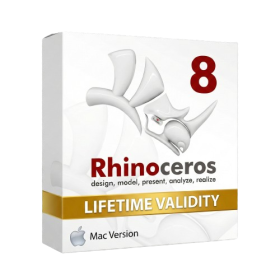
- Lifetime Validity
- Instant Delivery on Email
- Supported on All Apple Mac Systems
- Any Installation Problem Freely Contact Us(Will Give You Support)
- Run natively on Apple Silicon (M1/M2/M3) for significantly faster processing speeds.
- Experience fluid viewport navigation with the new Apple Metal graphics pipeline.
- Create watertight meshes from open geometry instantly using the ShrinkWrap command.
- Customize your workspace with new Window Layouts that match the Windows interface.
- Render ray-traced images in real-time using GPU-accelerated Cycles on Metal.
- Model organically with sharp edges using the new SubD Creases feature.
- Extrude and subtract geometry directly from faces with the intuitive PushPull workflow.
- Create dynamic 3D sections with hatch patterns using improved Clipping Planes.
- Access new data types and attributes directly within the upgraded Grasshopper.
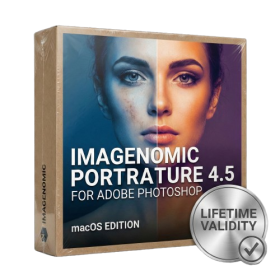
- Lifetime Validity
- Instant Delivery on Email
- Supported on All Apple Mac Systems
- Any Installation Problem Freely Contact Us(Will Give You Support)
- Smooth skin naturally while preserving texture using advanced AI algorithms.
- Generate precise skin masks automatically to isolate subjects instantly.
- Process massive batches of photos rapidly with optimized multi-core performance.
- Remove blemishes and imperfections without blurring eyelashes or eyebrows.
- Even out skin tones to correct redness and blotchiness effortlessly.
- Apply professional retouching styles quickly with a customizable preset library.
- Fine-tune mask selection manually with the interactive refinement brush.
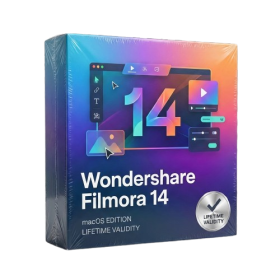
- Lifetime Validity
- Instant Delivery on Email
- Supported on All Apple Mac Systems
- Any Installation Problem Freely Contact Us(Will Give You Support)
- Extract highlights automatically from long footage with the AI Smart Short Clips tool.
- Edit multiple camera angles simultaneously on a single track with Multi-Camera Editing.
- Match the color grading of any reference video or photo instantly using AI Color Palette.
- Restore details in low-resolution or blurry footage with the AI Video Enhancer.
- Translate videos and sync lip movements to the new language using AI Translation – Lip Sync.
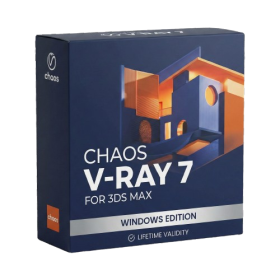
- AUTOMATIC DELIVERY INSTANTLY ON REGISTERED EMAIL .
- Any Installation Problem Freely Contact Us(Will Give You Support)
- Lifetime Validity
- Windows Version
- For 3ds Max 2021 – 2027
- Render and clip real-world 3D scans natively with full Gaussian Splatting support.
- Simulate complex light fixtures significantly faster using the new V-Ray Luminaire.
- Generate accurate stars, moon, and phases instantly with the procedural Night Sky.
- Create PBR materials from simple photos automatically with the AI Material Generator.
- Stream interactive 3D scenes to clients via a web link with Chaos Cloud Streaming.
- Analyze scene performance and spot bottlenecks precisely using the V-Ray Profiler.
- Render realistic caustics and refractions at high speeds with updated V-Ray GPU.
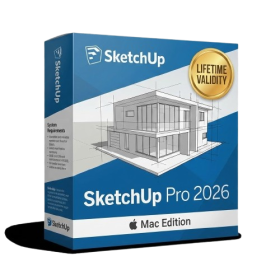
- AUTOMATIC DELIVERY INSTANTLY ON REGISTERED EMAIL .
- Any Installation Problem Freely Contact Us(Will Give You Support)
- Lifetime Validity
- Mac Version
- Run natively on Apple Silicon (M1/M2/M3) for blazing-fast performance.
- Visualize models with realistic depth using the new Ambient Occlusion engine.
- Generate unique textures instantly with integrated AI-powered prompts.
- Sync projects seamlessly between Mac, iPad, and Web versions.
- Convert iPhone LiDAR scans into 3D models automatically via Scan-to-Design.
- Create 2D documentation faster with the optimized LayOut rendering engine.
- Import and export USDZ files easily for Apple AR visualization.
- AUTOMATIC DELIVERY INSTANTLY ON REGISTERED EMAIL .
- Any Installation Problem Freely Contact Us(Will Give You Support)
- Lifetime Validity
- Windows Version
- Type effortlessly in multiple Indian languages with enhanced Unicode keyboard handlers.
- Detect and switch between 32-bit and 64-bit applications automatically while typing.
- Access thousands of high-quality calligraphic fonts for professional designs.
- Convert legacy text to Unicode instantly with the advanced file conversion utility.
- Design stylish 3D titles and logos easily using the Avishkar Plus tool.
- Check spelling in Indian languages directly with the integrated Spell Checker.
- Integrate seamlessly with open-source apps like Inkscape, GIMP, and Scribus.
- AUTOMATIC DELIVERY INSTANTLY ON REGISTERED EMAIL .
- Any Installation Problem Freely Contact Us(Will Give You Support)
- Lifetime Validity
- Windows Version
- Route complex PCB traces automatically with the new AI-driven auto-interactive router.
- Collaborate seamlessly with mechanical engineers via the enhanced real-time MCAD CoDesigner.
- Simulate power integrity and signal performance instantly within the unified design environment.
- Manage component shortages proactively with live supply chain data in ActiveBOM.
- Visualize multi-board systems and rigid-flex designs in photorealistic 3D detail.
- Sync all design changes and version history securely to the cloud with Altium 365.
- Define complex high-speed design rules easily using the visual Constraint Manager.
- AUTOMATIC DELIVERY INSTANTLY ON REGISTERED EMAIL .
- Any Installation Problem Freely Contact Us(Will Give You Support)
- Lifetime Validity
- Windows Version
- Online & Offline both working
- Create watertight meshes instantly for 3D printing with the new ShrinkWrap tool.
- Generate dynamic 2D sections and plans directly from 3D models with ClippingDrawings.
- Model organic shapes with greater precision using supported SubD creases.
- Manipulate geometry intuitively with the new customized Auto Gumball.
- Extrude and modify faces instantly using the direct PushPull workflow.
- Render scenes significantly faster with the optimized Cycles engine.
- Customize the modernized interface to match your specific drafting workflow.
- AUTOMATIC DELIVERY INSTANTLY ON REGISTERED EMAIL .
- Any Installation Problem Freely Contact Us(Will Give You Support)
- Lifetime Validity
- Windows Version
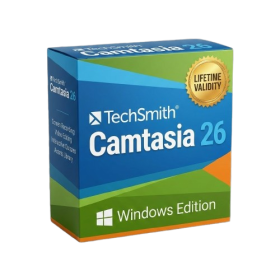
- Edit video content as easily as a text document with the AI-powered text-based editing workflow.
- Instantly remove or replace video backgrounds without a green screen using dynamic AI masking.
- Automatically generate and sync accurate captions and subtitles from your voiceover in seconds.
- Smooth out jerky mouse movements and customize cursor paths with advanced cursor effects.
- Record high-resolution 4K screen capture, webcam, and system audio simultaneously.
- Clean up background noise and balance vocal levels instantly with AI-enhanced audio filters.
- Access a vast library of royalty-free intros, motion graphics, and music directly within the editor.
- Engage viewers by adding interactive quizzes and clickable hotspots directly to your videos.
- Apply professional animations and behaviors to text and images with simple drag-and-drop actions.
- Export videos faster than ever with optimized GPU acceleration for modern hardware.
- Lifetime Validity
- Instant Delivery on Email
- Supported on All Apple Mac Systems
- Any Installation Problem Freely Contact Us(Will Give You Support)
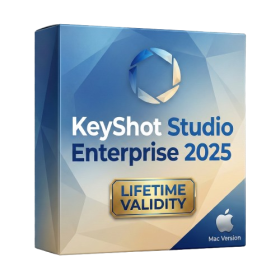
- Render natively on Apple Silicon (M1/M2/M3) for maximum speed and efficiency.
- Generate photorealistic backgrounds instantly from text prompts using the AI Shots tool.
- Share interactive 3D product reviews securely with stakeholders via KeyShot Web Viewer.
- Automate complex rendering pipelines using the advanced Python scripting console.
- Import native files directly from high-end CAD systems like Siemens NX, Catia, and Creo.
- Switch seamlessly between CPU and GPU rendering to utilize Apple Metal graphics power.
- Create standardized material libraries for your organization with OpenPBR support.
- Accelerate post-production compositing with automatic Cryptomatte mask generation.
- AUTOMATIC DELIVERY INSTANTLY ON REGISTERED EMAIL .
- Any Installation Problem Freely Contact Us(Will Give You Support)
- Lifetime Validity
- Windows Version
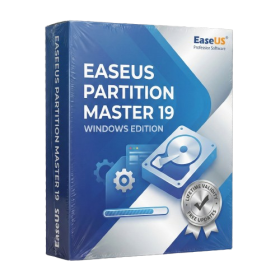
- Resize, move, and merge partitions safely without any data loss.
- Migrate OS and data to SSD or HDD instantly without reinstalling Windows.
- Convert MBR system disks to GPT for Windows 11 upgrades non-destructively.
- Recover deleted or lost partitions directly from unallocated disk space.
- Create WinPE bootable rescue disks to fix computers that fail to start.
- Align SSD partitions to 4K sectors to maximize speed and extend lifespan.
- Resize and manage BitLocker encrypted partitions securely.
- Rebuild MBR and fix boot issues to resolve Windows startup errors.
- AUTOMATIC DELIVERY INSTANTLY ON REGISTERED EMAIL .
- Any Installation Problem Freely Contact Us(Will Give You Support)
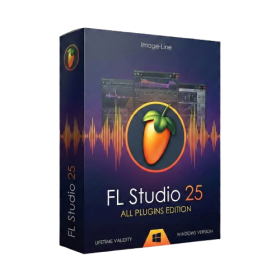
- Lifetime Validity FL Studio + 116 instruments and effects, includes audio recording and stem separation.
- Windows Version
- Pre-Activated Setup (Install Setup & Enjoy)
- Works with Internet & Antivirus
- File Size: 1.30GB
- Includes Everything: Every native plugin Image-Line sells (Synths, Effects, Tools).
- Massive Library: Comes with Harmor, Sytrus, Gross Beat, and the new Kepler Exo.
- Dynamic Mixing: Expand your mixer up to 500 tracks with the new 2025 engine
- Stem Separation: Split any song into Drums, Bass, Vocals, and Instruments instantly.
- Audio Editing: Edit pitch and time directly in the playlist with Newtone.
- Visualizers: Render 4K videos for social media with ZGameEditor Visualizer.
- Controller Support: Plug-and-play compatibility with virtually any MIDI controller.