
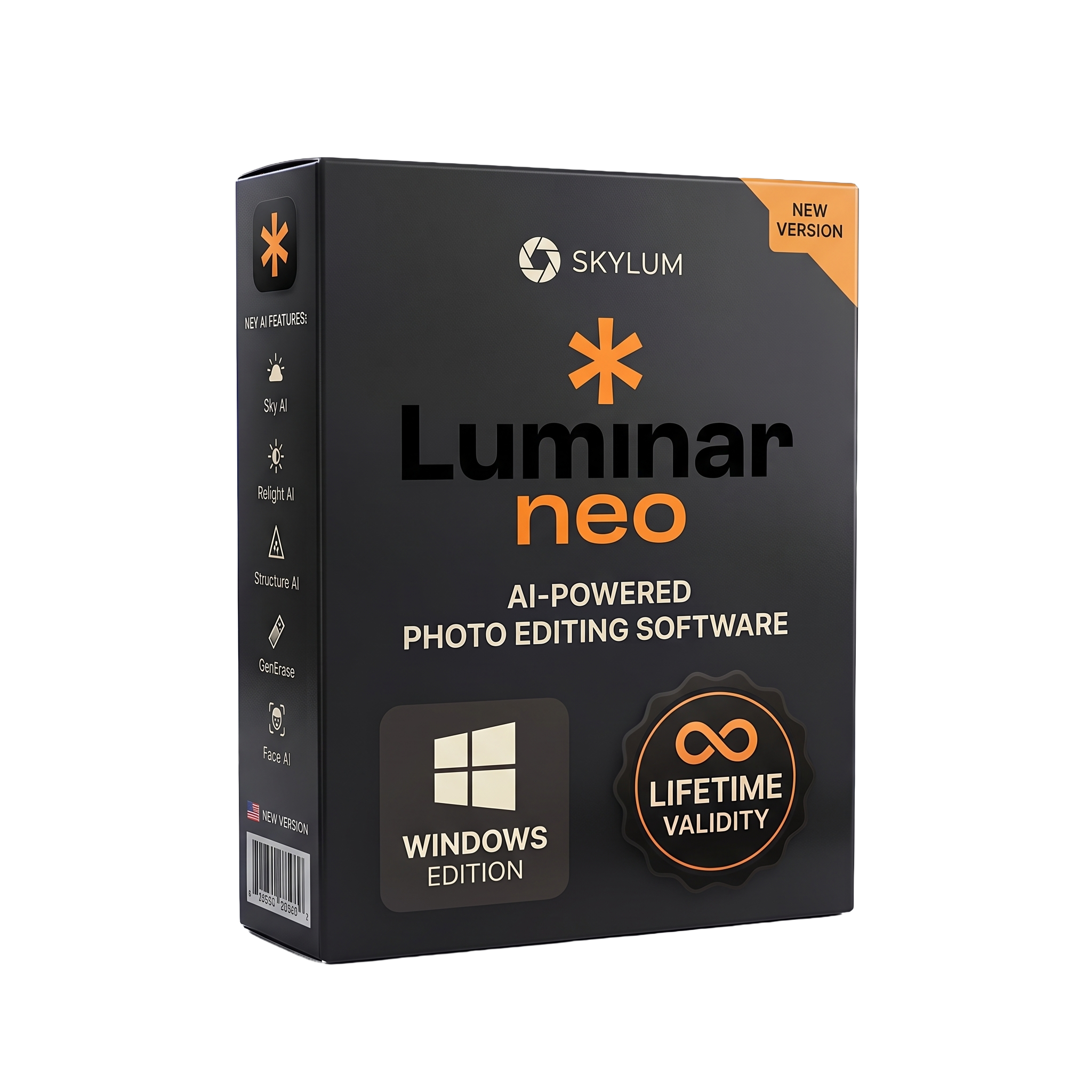
Skylum Luminar Neo for Lifetime
- AUTOMATIC DELIVERY INSTANTLY ON REGISTERED EMAIL .
- Any Installation Problem Freely Contact Us(Will Give You Support)
- Lifetime Validity
- Windows Version
- AI-powered photo editing and RAW processing software
- Automatic image enhancement with AI-driven editing tools
- Sky replacement, object removal, and AI object replacement
- Portrait retouching with Face AI, Skin AI, and Body AI
- HDR Merge, Panorama Stitching, and Focus Stacking
- Layers, masking, and non-destructive editing workflow
- Batch processing and customizable presets
- Plugin support for Photoshop and Lightroom Classic
- GPU-accelerated performance for faster editing
- Ideal for photographers, content creators, and digital artists
₹500.00
Description
Luminar Neo for Windows is a professional AI-powered photo editing and image enhancement software developed by Skylum. Designed for photographers, content creators, designers, and digital artists, Luminar Neo combines advanced artificial intelligence with intuitive editing tools to simplify complex photo enhancements while delivering professional-quality results. It offers a complete workflow for RAW processing, portrait retouching, landscape enhancement, object removal, and creative image editing.
Built on a modular editing engine, Luminar Neo enables users to perform non-destructive edits with real-time previews and intelligent AI-assisted tools. Whether you’re enhancing portraits, restoring old photographs, editing landscapes, or creating artistic compositions, the software provides powerful features that help reduce editing time while maintaining full creative control.
Key Features
- Professional AI-powered photo editing and RAW processing
- AI Enhance for automatic image optimization
- Sky AI for realistic sky replacement
- Relight AI for intelligent lighting adjustments
- GenErase AI for object and distraction removal
- GenSwap AI for replacing selected objects with AI-generated content
- Background Removal AI for precise subject isolation
- Portrait Bokeh AI for realistic depth-of-field effects
- Face AI, Skin AI, and Body AI for portrait retouching
- Layers, masking, and non-destructive editing workflow
- HDR Merge, Panorama Stitching, and Focus Stacking tools
- Batch processing and preset-based editing
- Plugin support for Adobe Photoshop and Lightroom Classic
What’s New in the Latest Version
Recent Luminar Neo updates introduce significant improvements to AI-powered editing and workflow efficiency:
- Enhanced GenErase AI for cleaner object removal
- Improved GenSwap AI for smarter object replacement
- Faster AI processing and GPU acceleration
- Better RAW file compatibility and image rendering
- Improved masking precision and local adjustments
- Expanded camera and lens support
- Enhanced performance on modern Windows hardware
These improvements help photographers produce professional-quality edits more quickly while minimizing manual adjustments.
Professional Applications
Luminar Neo is ideal for:
- RAW photo development
- Portrait retouching and beauty editing
- Landscape and nature photography
- Travel photography
- Real estate photography
- Wedding and event photography
- Social media content creation
- Commercial photography and marketing
System Requirements (Windows)
Minimum Requirements
- Operating System: Windows 10 (64-bit) version 1909 or later, or Windows 11
- Processor: Intel Core i5 (10th Gen or newer) or AMD Ryzen 5
- RAM: 8 GB minimum (16 GB recommended)
- Storage: 10 GB available disk space (SSD recommended)
- Graphics: DirectX 12-compatible GPU with at least 4 GB VRAM
- Display: 1280 × 768 resolution or higher
Related Products
- AUTOMATIC DELIVERY INSTANTLY ON REGISTERED EMAIL .
- Any Installation Problem Freely Contact Us(Will Give You Support)
- Lifetime Validity
- Windows Version
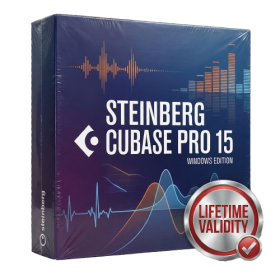
- Included Instruments:
- Halion 7
- Halion Sonic 7
- Groove Agent 6
- Groove Agent SE 6
- WaveLab Pro 13
- Dorico Pro 6
- Backbone 1.6
- PadShop Pro 2
- Retrologue 2.5
- SpectraLayers Pro 13
- Iconica Sketch
- Verve
- Drum Machine

- AUTOMATIC DELIVERY INSTANTLY ON REGISTERED EMAIL .
- Any Installation Problem Freely Contact Us(Will Give You Support)
- Lifetime Validity
- Windows Version
- File Size: 23.5MB
- Accelerate download speeds by up to 5 times with intelligent dynamic file segmentation.
- Resume interrupted downloads instantly without restarting from the beginning.
- Capture videos from streaming sites automatically using the improved download panel.
- Detect and download Ultra HD (4K and 8K) videos with enhanced recognition accuracy.
- Integrate seamlessly with the latest versions of Chrome, Edge, and Firefox.
- Resolve video stream errors (like 403 Forbidden) with updated site compatibility fixes.
- Schedule downloads to start, stop, or shut down your computer automatically.
- AUTOMATIC DELIVERY INSTANTLY ON REGISTERED EMAIL .
- Any Installation Problem Freely Contact Us(Will Give You Support)
- Lifetime Validity
- Windows Version
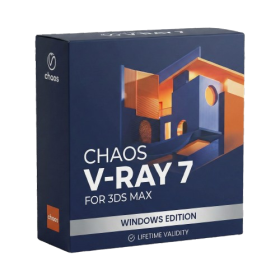
- For 3ds Max 2021 – 2027
- Render and clip real-world 3D scans natively with full Gaussian Splatting support.
- Simulate complex light fixtures significantly faster using the new V-Ray Luminaire.
- Generate accurate stars, moon, and phases instantly with the procedural Night Sky.
- Create PBR materials from simple photos automatically with the AI Material Generator.
- Stream interactive 3D scenes to clients via a web link with Chaos Cloud Streaming.
- Analyze scene performance and spot bottlenecks precisely using the V-Ray Profiler.
- Render realistic caustics and refractions at high speeds with updated V-Ray GPU.
- AUTOMATIC DELIVERY INSTANTLY ON REGISTERED EMAIL .
- Any Installation Problem Freely Contact Us(Will Give You Support)
- Lifetime Validity
- Windows Version
- Smooth skin naturally while preserving texture using advanced AI algorithms.
- Generate precise skin masks automatically to isolate subjects instantly.
- Process massive batches of photos rapidly with optimized multi-core performance.
- Remove blemishes and imperfections without blurring eyelashes or eyebrows.
- Even out skin tones to correct redness and blotchiness effortlessly.
- Apply professional retouching styles quickly with a customizable preset library.
- Fine-tune mask selection manually with the interactive refinement brush.
- AUTOMATIC DELIVERY INSTANTLY ON REGISTERED EMAIL .
- Any Installation Problem Freely Contact Us(Will Give You Support)
- Lifetime Validity
- Windows Version
- File Size: 1.84GB
- Visualize models with stunning depth and realism using the new graphics engine featuring native Ambient Occlusion.
- Generate unique, seamless textures instantly from simple text prompts with the integrated AI texture generator.
- Import complex Revit files accurately and efficiently with the enhanced, lighter-weight Revit Importer.
- Create 2D documentation in LayOut faster than ever with a new multi-threaded rendering engine that eliminates lag.
- Convert room scans from mobile devices automatically into clean, editable 3D geometry via Scan-to-Design.
- Collaborate in real-time by syncing projects seamlessly across Desktop, iPad, and Web versions.

- AUTOMATIC DELIVERY INSTANTLY ON REGISTERED EMAIL .
- Any Installation Problem Freely Contact Us(Will Give You Support)
- Lifetime Validity
- Windows Version
- Professional Edition
- Preview files in real-time while the scan is still running with “On-the-Fly” preview.
- Pause and resume recovery scans instantly to save progress without restarting.
- Recover data from BitLocker-encrypted drives by simply entering the password.
- Create bootable USB media to salvage files from crashed or unbootable PCs.
- Repair corrupt videos and photos automatically using the Premium repair tools.
- Multitask efficiently with native dual-monitor support for the recovery interface.
- Scan large 4K hard drives with 4096-byte sectors using the optimized engine.
- Retrieve data from RAID 0, 5, and 6 arrays seamlessly with the Technician edition.
- AUTOMATIC DELIVERY INSTANTLY ON REGISTERED EMAIL .
- Any Installation Problem Freely Contact Us(Will Give You Support)
- Lifetime Validity
- Windows Version
- Map video onto complex geometric structures and surfaces with advanced projection mapping tools.
- Stitch multiple projectors into a single seamless widescreen image with soft edge blending.
- Sync video with lighting fixtures using DMX input and advanced LED pixel mapping.
- Lock your visuals perfectly to show tracks and DJ sets using SMPTE timecode input.
- Mix unlimited layers of video, effects, and generative content in real-time.
- Correct mistakes instantly during live setup with the fully integrated Undo/Redo feature.
- Lifetime Validity
- Instant Delivery on Email
- Any Installation Problem Freely Contact Us(Will Give You Support)
- Supported on Windows 10,11
- Pre-Activated for Lifetime Validity
- Supports: Revit 2022 to 2026
- Import and render real-world 3D Gaussian Splats directly within the Revit interface.
- Generate custom PBR textures instantly from text prompts with the AI Material Generator.
- Visualize changes in real-time using the seamless Chaos Vantage Live Link.
- Populate scenes with vegetation and crowds efficiently using Chaos Scatter.
- Edit colors and apply finishing touches directly in the advanced V-Ray Frame Buffer.
- Ensure material consistency across different software with native OpenPBR support.
- Add realistic details like road markings or graffiti using V-Ray Decals.
- Simulate dynamic skies and cloud shadows with the procedural Cloud system.
- Generate dozens of lighting variations automatically with the Light Gen tool.
- Accelerate rendering times significantly with optimized NVIDIA RTX GPU support.
- AUTOMATIC DELIVERY INSTANTLY ON REGISTERED EMAIL .
- Any Installation Problem Freely Contact Us(Will Give You Support)
- Lifetime Validity
- Windows Version
- Revit 2023, 2024, 2025, and 2026
- SketchUp 2024, 2025 and 2026
- Rhino 7.0 and 8.3 (or later)
- Archicad 27, 28 and 29
- Vectorworks 2024, 2025 and 2026
- Navigate scenes with a unified, redesigned user interface for faster workflows.
- Enhance export quality instantly with the AI-powered NVIDIA Denoiser.
- Simulate realistic colored shadows for glass and transparent materials.
- Upscale textures and assets automatically using the Chaos AI Enhancer.
- Apply pencil and watercolor effects with new Artistic Visual Modes.
- Immerse clients in designs with support for Meta Quest 3 and HTC Vive.
- AUTOMATIC DELIVERY INSTANTLY ON REGISTERED EMAIL .
- Any Installation Problem Freely Contact Us(Will Give You Support)
- Lifetime Validity
- Windows Version
- Edit video content as easily as a text document with the AI-powered text-based editing workflow.
- Instantly remove or replace video backgrounds without a green screen using dynamic AI masking.
- Automatically generate and sync accurate captions and subtitles from your voiceover in seconds.
- Smooth out jerky mouse movements and customize cursor paths with advanced cursor effects.
- Record high-resolution 4K screen capture, webcam, and system audio simultaneously.
- Clean up background noise and balance vocal levels instantly with AI-enhanced audio filters.
- Access a vast library of royalty-free intros, motion graphics, and music directly within the editor.
- Engage viewers by adding interactive quizzes and clickable hotspots directly to your videos.
- Apply professional animations and behaviors to text and images with simple drag-and-drop actions.
- Export videos faster than ever with optimized GPU acceleration for modern hardware.
- AUTOMATIC DELIVERY INSTANTLY ON REGISTERED EMAIL .
- Any Installation Problem Freely Contact Us(Will Give You Support)
- Lifetime Validity
- Windows Version
- Explore massive 3D scenes in 100% ray-traced real-time without waiting for renders.
- Sync changes instantly from 3ds Max, SketchUp, Rhino, and Revit via Live Link.
- Render photorealistic animations at lightning speeds using NVIDIA DLSS 3.5 support.
- Populate environments with millions of objects using the built-in Chaos Scatter tool.
- Switch between different lighting setups, materials, and moods instantly with Scene States.
- Visualize complex animated characters and deformable meshes perfectly in real-time.
- Lifetime Validity
- Instant Delivery on Email
- Supported on All Apple Mac Systems
- Any Installation Problem Freely Contact Us(Will Give You Support)
- Run natively on Apple Silicon (M1/M2/M3) for significantly faster processing speeds.
- Experience fluid viewport navigation with the new Apple Metal graphics pipeline.
- Create watertight meshes from open geometry instantly using the ShrinkWrap command.
- Customize your workspace with new Window Layouts that match the Windows interface.
- Render ray-traced images in real-time using GPU-accelerated Cycles on Metal.
- Model organically with sharp edges using the new SubD Creases feature.
- Extrude and subtract geometry directly from faces with the intuitive PushPull workflow.
- Create dynamic 3D sections with hatch patterns using improved Clipping Planes.
- Access new data types and attributes directly within the upgraded Grasshopper.