
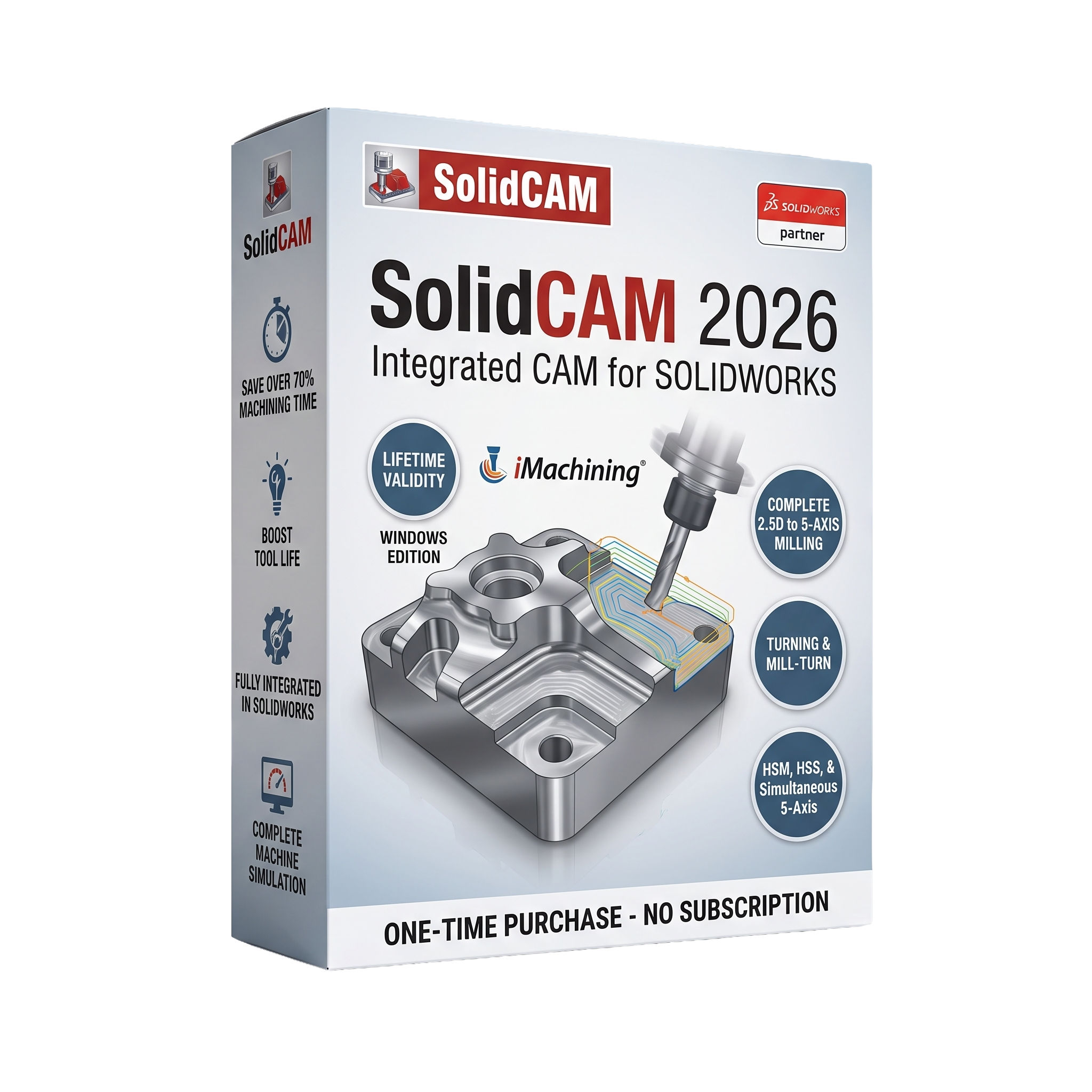
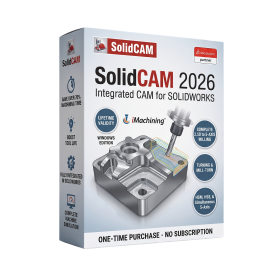
SolidCAM 2026 for SolidWorks 2026 Lifetime
- AUTOMATIC DELIVERY INSTANTLY ON REGISTERED EMAIL .
- Any Installation Problem Freely Contact Us(Will Give You Support)
- Lifetime Validity
- Windows Version
- Required Solidworks 2026
- Professional CAM software fully integrated with SOLIDWORKS
- Automatic associative CAD/CAM workflow
- Patented iMachining technology for optimized cutting
- Supports 2.5D, 3D, HSM, 5-axis, turning, mill-turn, Swiss, and Wire EDM
- Advanced machine simulation and collision detection
- Feature Recognition and automated programming
- CAM Assist AI-assisted machining (optional)
- Custom post processors and tool libraries
- Optimized for high-performance workstation hardware
- Ideal for CNC programmers, manufacturing engineers, toolmakers, and precision machining facilities
₹550.00
Bought Together
- AUTOMATIC DELIVERY INSTANTLY ON REGISTERED EMAIL .
- Any Installation Problem Freely Contact Us(Will Give You Support)
- Lifetime Validity
- Windows Version
- Required Solidworks 2026
- Professional CAM software fully integrated with SOLIDWORKS
- Automatic associative CAD/CAM workflow
- Patented iMachining technology for optimized cutting
- Supports 2.5D, 3D, HSM, 5-axis, turning, mill-turn, Swiss, and Wire EDM
- Advanced machine simulation and collision detection
- Feature Recognition and automated programming
- CAM Assist AI-assisted machining (optional)
- Custom post processors and tool libraries
- Optimized for high-performance workstation hardware
- Ideal for CNC programmers, manufacturing engineers, toolmakers, and precision machining facilities
- AUTOMATIC DELIVERY INSTANTLY ON REGISTERED EMAIL .
- Any Installation Problem Freely Contact Us(Will Give You Support)
- Lifetime Validity
- Windows Version
- Free Updates
- Automate assembly mates instantly with AI-powered fastener recognition.
- Generate complete 2D drawings from 3D models automatically with AI tools.
- Split component configurations into separate files in batches seamlessly.
- Skip unnecessary rebuilds for cosmetic changes to speed up large assemblies.
- Create reference points precisely using global XYZ coordinate values.
- Import massive neutral files in the background while you continue working.
- Render photorealistic images directly within the interface without switching apps.
Description
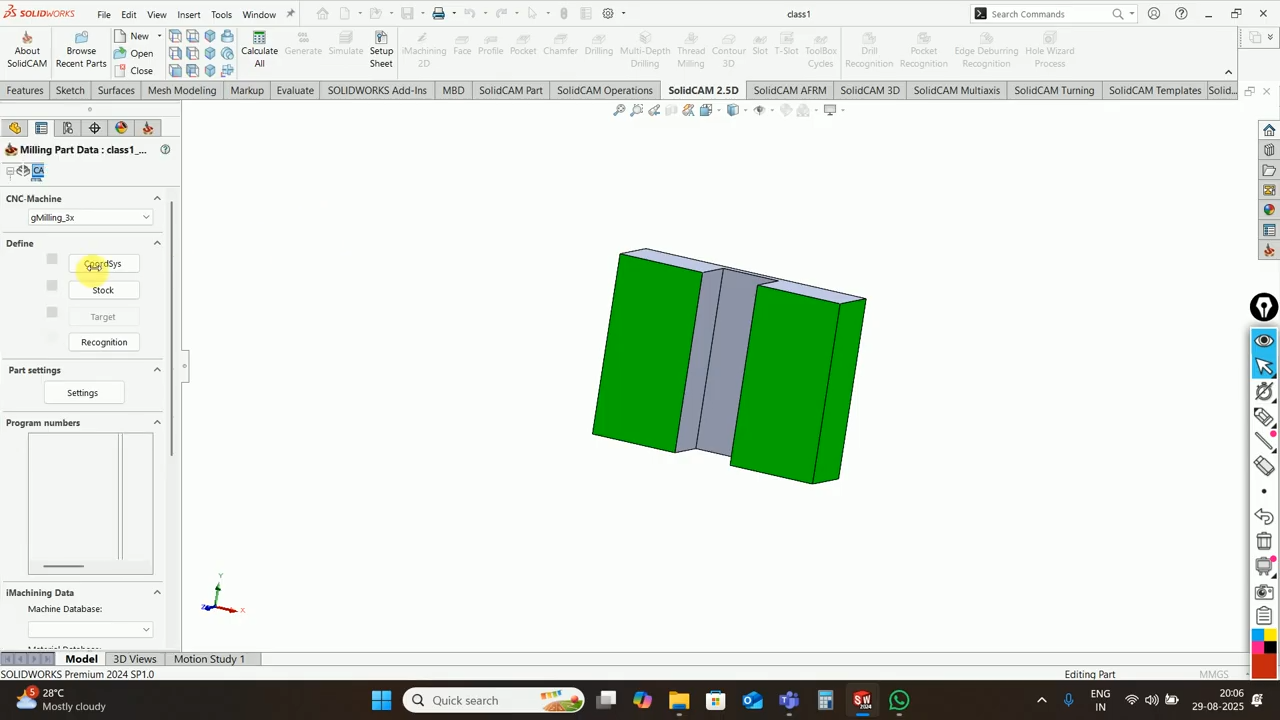
SolidCAM 2026 for SOLIDWORKS is a professional Computer-Aided Manufacturing (CAM) solution that operates directly inside the SOLIDWORKS design environment, providing a seamless CAD/CAM workflow for CNC programming. Developed by SolidCAM, the software enables manufacturers, CNC programmers, machinists, mold makers, and production engineers to create, simulate, verify, and optimize machining operations without leaving SOLIDWORKS. The integrated approach eliminates file translation, maintains associativity with CAD models, and automatically updates machining operations whenever the design changes, improving productivity and reducing programming errors.
Built as a fully integrated SOLIDWORKS add-in, SolidCAM 2026 supports the complete spectrum of CNC machining operations, including 2.5D milling, high-speed machining (HSM), high-speed roughing (HSR), 3D milling, simultaneous 5-axis machining, turning, advanced mill-turn, Swiss-type machining, wire EDM, and probing. Its patented iMachining technology automatically calculates optimal cutting conditions to reduce machining time, improve tool life, and increase material removal rates while maintaining high-quality surface finishes.
Version 2026 introduces numerous workflow enhancements focused on improving programming efficiency. Key additions include smarter Feature Group–based programming for 2.5D milling, reduced repetitive geometry selection, improved Feature Recognition workflows, enhancements to MCO (Machine Control Operations), TCP (Tool Center Point) machining, improved inter-operational movements, and general performance and usability improvements throughout the CAM environment. These updates help CNC programmers create machining operations more quickly while increasing automation and reducing manual intervention.
Key Features
- Fully integrated CAM solution for SOLIDWORKS
- Associative CAD/CAM workflow with automatic model updates
- Patented iMachining 2D and 3D technology
- 2.5D milling
- 3D High-Speed Machining (HSM)
- High-Speed Roughing (HSR)
- Simultaneous 5-axis machining
- Indexed (3+2) machining
- CNC turning
- Advanced Mill-Turn machining
- Swiss-Type machining
- Wire EDM programming
- CNC probing and inspection
- Feature Recognition and automatic machining
- Toolpath verification and machine simulation
- Collision detection and machine kinematics simulation
- Post Processor customization
- Tool library and machining templates
- CAM Assist AI-assisted programming (optional module)
- Support for multi-channel CNC machines
What’s New in Version 2026
- Feature Group-based operation creation for faster programming
- Reduced repetitive geometry selection in 2.5D machining
- Improved automatic Feature Recognition workflows
- Enhanced Machine Control Operations (MCO)
- Tool Center Point (TCP) machining improvements
- Better inter-operational movement optimization
- Improved CAM Tree workflow
- Enhanced machining automation
- Performance optimizations for large machining projects
- User interface refinements
- Stability improvements and bug fixes
Professional Applications
SolidCAM 2026 is ideal for:
- CNC milling
- CNC turning
- Multi-axis machining
- Precision manufacturing
- Aerospace component production
- Automotive manufacturing
- Mold and die machining
- Medical device manufacturing
- Tool and fixture production
- General mechanical engineering
- High-speed production machining
- Prototype manufacturing
System Requirements
Minimum Requirements
- Operating System: Windows 10 (64-bit) or Windows 11 (64-bit), compatible with the supported SOLIDWORKS release
- Processor: Intel Core i7 or AMD equivalent (64-bit)
- RAM: 16 GB
- Storage: SSD recommended with at least 20 GB free space
- Graphics: Certified NVIDIA RTX/Quadro or AMD Radeon Pro graphics compatible with SOLIDWORKS
- Display: 1920 × 1080 resolution or higher
- Software: Compatible supported version of SOLIDWORKS installed
Related Products

- Lifetime Validity
- Instant Delivery on Email
- Any Installation Problem Freely Contact Us(Will Give You Support)
- Supported on Windows 10,11
- Pre-Activated for Lifetime Validity
- Supports: Revit 2022 to 2026
- Import and render real-world 3D Gaussian Splats directly within the Revit interface.
- Generate custom PBR textures instantly from text prompts with the AI Material Generator.
- Visualize changes in real-time using the seamless Chaos Vantage Live Link.
- Populate scenes with vegetation and crowds efficiently using Chaos Scatter.
- Edit colors and apply finishing touches directly in the advanced V-Ray Frame Buffer.
- Ensure material consistency across different software with native OpenPBR support.
- Add realistic details like road markings or graffiti using V-Ray Decals.
- Simulate dynamic skies and cloud shadows with the procedural Cloud system.
- Generate dozens of lighting variations automatically with the Light Gen tool.
- Accelerate rendering times significantly with optimized NVIDIA RTX GPU support.
- AUTOMATIC DELIVERY INSTANTLY ON REGISTERED EMAIL .
- Any Installation Problem Freely Contact Us(Will Give You Support)
- Lifetime Validity
- Windows Version
- Included Instruments:
- Halion 7
- Halion Sonic 7
- Groove Agent 6
- Groove Agent SE 6
- WaveLab Pro 13
- Dorico Pro 6
- Backbone 1.6
- PadShop Pro 2
- Retrologue 2.5
- SpectraLayers Pro 13
- Iconica Sketch
- Verve
- Drum Machine
- AUTOMATIC DELIVERY INSTANTLY ON REGISTERED EMAIL .
- Any Installation Problem Freely Contact Us(Will Give You Support)
- Lifetime Validity
- Windows Version
- Ray trace over 2,200 nature assets including trees and shrubs for realistic reflections.
- Preview renders instantly with the new real-time NRD denoiser in Photo and Movie modes.
- Render ray-traced videos up to 5x faster using the optimized sampling engine.
- Simulate realistic glass refraction and colored shadows with fully ray-traced glass.
- Add depth to translucent materials like marble and wax with Subsurface Scattering.
- Populate interiors instantly using 25+ new parallax room templates for day and night.
- Import GLTF files directly for a lighter and faster 3D model workflow.
- Batch import multiple 3D models simultaneously to speed up scene building.

- Lifetime Validity
- Instant Delivery on Email
- Supported on All Apple Mac Systems
- Any Installation Problem Freely Contact Us(Will Give You Support)
- Extract highlights automatically from long footage with the AI Smart Short Clips tool.
- Edit multiple camera angles simultaneously on a single track with Multi-Camera Editing.
- Match the color grading of any reference video or photo instantly using AI Color Palette.
- Restore details in low-resolution or blurry footage with the AI Video Enhancer.
- Translate videos and sync lip movements to the new language using AI Translation – Lip Sync.
- AUTOMATIC DELIVERY INSTANTLY ON REGISTERED EMAIL .
- Any Installation Problem Freely Contact Us(Will Give You Support)
- Lifetime Validity
- Windows Version
- Redact sensitive personal data automatically with the AI-powered Smart Redact tool.
- Sign multiple contracts or agreements instantly using the new Batch Sign feature.
- Crop margins across hundreds of documents simultaneously with Batch Crop.
- Switch between AI models like ChatGPT to summarize and analyze PDFs effectively.
- Convert scanned paper documents into fully editable text with high-accuracy OCR.
- Measure perimeters and areas in technical drawings directly with the Measure tool.
- Export PDF content to Word, Excel, and PowerPoint while preserving original layout.
- Add clear visual feedback to designs using new Shape Comments and stickers.
- Translate entire documents into different languages while maintaining formatting.
- Extract data from fillable forms directly into Excel CSV spreadsheets automatically.
- AUTOMATIC DELIVERY INSTANTLY ON REGISTERED EMAIL .
- Any Installation Problem Freely Contact Us(Will Give You Support)
- Lifetime Validity
- Windows Version
- Online & Offline both working
- Create watertight meshes instantly for 3D printing with the new ShrinkWrap tool.
- Generate dynamic 2D sections and plans directly from 3D models with ClippingDrawings.
- Model organic shapes with greater precision using supported SubD creases.
- Manipulate geometry intuitively with the new customized Auto Gumball.
- Extrude and modify faces instantly using the direct PushPull workflow.
- Render scenes significantly faster with the optimized Cycles engine.
- Customize the modernized interface to match your specific drafting workflow.
- AUTOMATIC DELIVERY INSTANTLY ON REGISTERED EMAIL .
- Any Installation Problem Freely Contact Us(Will Give You Support)
- Lifetime Validity
- Mac Version
- Run natively on Apple Silicon (M1/M2/M3) for blazing-fast performance.
- Visualize models with realistic depth using the new Ambient Occlusion engine.
- Generate unique textures instantly with integrated AI-powered prompts.
- Sync projects seamlessly between Mac, iPad, and Web versions.
- Convert iPhone LiDAR scans into 3D models automatically via Scan-to-Design.
- Create 2D documentation faster with the optimized LayOut rendering engine.
- Import and export USDZ files easily for Apple AR visualization.

- AUTOMATIC DELIVERY INSTANTLY ON REGISTERED EMAIL .
- Any Installation Problem Freely Contact Us(Will Give You Support)
- Lifetime Validity
- Windows Version
- Professional Edition
- Preview files in real-time while the scan is still running with “On-the-Fly” preview.
- Pause and resume recovery scans instantly to save progress without restarting.
- Recover data from BitLocker-encrypted drives by simply entering the password.
- Create bootable USB media to salvage files from crashed or unbootable PCs.
- Repair corrupt videos and photos automatically using the Premium repair tools.
- Multitask efficiently with native dual-monitor support for the recovery interface.
- Scan large 4K hard drives with 4096-byte sectors using the optimized engine.
- Retrieve data from RAID 0, 5, and 6 arrays seamlessly with the Technician edition.
- AUTOMATIC DELIVERY INSTANTLY ON REGISTERED EMAIL .
- Any Installation Problem Freely Contact Us(Will Give You Support)
- Lifetime Validity
- Windows Version
- Visualize models with realistic shading and depth using the new Ambient Occlusion engine.
- Import and export IFC files faster with enhanced openBIM interoperability.
- Find and execute any command instantly using the integrated Smart Search tool.
- Generate unique textures and styles quickly with AI-powered Diffusion graphics.
- Collaborate in real-time by syncing models seamlessly with Trimble Connect.
- Create 2D documentation efficiently with the optimized LayOut rendering engine.
- Import complex Revit files accurately with the lightweight Revit Importer.
- Organize geometry effortlessly using the modernized Tag management system.
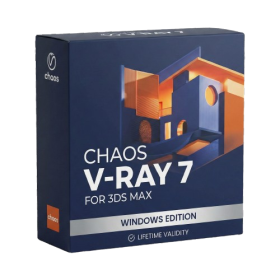
- AUTOMATIC DELIVERY INSTANTLY ON REGISTERED EMAIL .
- Any Installation Problem Freely Contact Us(Will Give You Support)
- Lifetime Validity
- Windows Version
- For 3ds Max 2021 – 2027
- Render and clip real-world 3D scans natively with full Gaussian Splatting support.
- Simulate complex light fixtures significantly faster using the new V-Ray Luminaire.
- Generate accurate stars, moon, and phases instantly with the procedural Night Sky.
- Create PBR materials from simple photos automatically with the AI Material Generator.
- Stream interactive 3D scenes to clients via a web link with Chaos Cloud Streaming.
- Analyze scene performance and spot bottlenecks precisely using the V-Ray Profiler.
- Render realistic caustics and refractions at high speeds with updated V-Ray GPU.
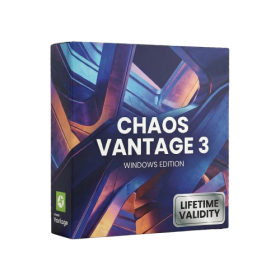
- AUTOMATIC DELIVERY INSTANTLY ON REGISTERED EMAIL .
- Any Installation Problem Freely Contact Us(Will Give You Support)
- Lifetime Validity
- Windows Version
- Explore massive 3D scenes in 100% ray-traced real-time without waiting for renders.
- Sync changes instantly from 3ds Max, SketchUp, Rhino, and Revit via Live Link.
- Render photorealistic animations at lightning speeds using NVIDIA DLSS 3.5 support.
- Populate environments with millions of objects using the built-in Chaos Scatter tool.
- Switch between different lighting setups, materials, and moods instantly with Scene States.
- Visualize complex animated characters and deformable meshes perfectly in real-time.

- AUTOMATIC DELIVERY INSTANTLY ON REGISTERED EMAIL .
- Any Installation Problem Freely Contact Us(Will Give You Support)
- Lifetime Validity
- Windows Version
- Map video onto complex geometric structures and surfaces with advanced projection mapping tools.
- Stitch multiple projectors into a single seamless widescreen image with soft edge blending.
- Sync video with lighting fixtures using DMX input and advanced LED pixel mapping.
- Lock your visuals perfectly to show tracks and DJ sets using SMPTE timecode input.
- Mix unlimited layers of video, effects, and generative content in real-time.
- Correct mistakes instantly during live setup with the fully integrated Undo/Redo feature.